
Millions of people use ChatGPT every single day. And most of them pay nothing. Learning how to use ChatGPT for free is easier than most people think. You do not need any technical skills. You do not need a credit card. Anyone can do it in just 2 minutes.
If you want to know how to use ChatGPT for free, you are in the right place. This guide will show you everything — step by step, in simple words.
By the end of this article, you will know exactly how to use ChatGPT for free, what you get with the free plan, and how to get the most out of it — all without spending a dollar.
Is ChatGPT Really Free
Yes. ChatGPT has a free plan that anyone can use. You do not need a credit card. You do not need to enter any payment details. It is completely free.
OpenAI — the company that made ChatGPT — offers a free version that works very well for most people. You can ask it questions, get help with writing, translate text, learn new things, and much more. All for free.
So if you are wondering how to use ChatGPT for free, the answer is simple. Just sign up and start. That is it.
Many people think ChatGPT costs money because they have seen paid plans advertised. But the paid plan (ChatGPT Plus) is optional. The free plan is available to everyone, and it is surprisingly good.
ChatGPT Free vs Paid — What Is the Difference?
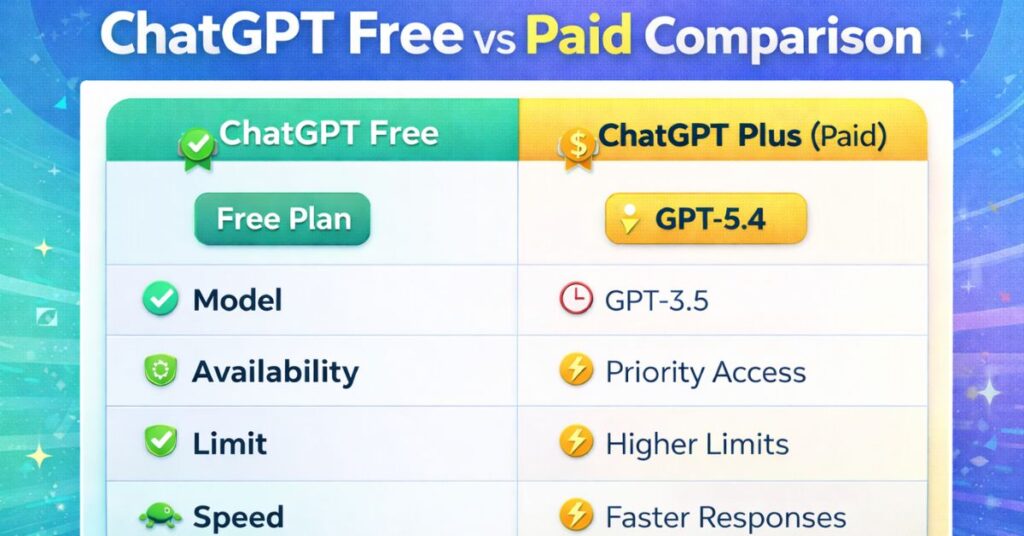
Before we show you how to use ChatGPT for free, let us quickly compare the free plan with the paid plan. This way, you will know exactly what you are getting.
| Feature | Free Plan | Plus Plan ($20/month) |
|---|---|---|
| Access to ChatGPT | Yes | Yes |
| Credit card needed | No | Yes |
| GPT-5.4 AI model | Limited | Full access |
| Speed at busy times | May slow down | Always fast |
| Web browsing | Yes | Yes |
| Upload images and files | Limited | Unlimited |
| DALL-E image creation | No | Yes |
| Advanced voice mode | No | Yes |
| Memory feature | Yes | Yes |
The bottom line: For most beginners and everyday users, the free plan is more than enough. You can do almost everything you need without paying a single dollar.
Only upgrade to Plus if you need faster speed, unlimited file uploads, or image generation. But to simply learn how to use ChatGPT for free, the free plan is perfect.
How to Create a Free ChatGPT Account
Creating a free ChatGPT account is very easy. You do not need any technical skills. Just follow these simple steps:
1: Open your web browser (Chrome, Safari, Firefox — any browser works).
2: Go to chat.openai.com — this is the official ChatGPT website.
3: Click the “Sign up” button. free. Do not click “Log in” unless you already have an account
4: You will see three options:
- Continue with Google (fastest option)
- Continue with Microsoft account
- Sign up with email
Pick whichever is easiest for you. Most people use “Continue with Google” because it takes only one click
5: If you signed up with email, check your inbox for a verification email from OpenAI. Click the link inside to verify your account.
Step 6: Done! You are now inside ChatGPT. No payment was asked. No credit card needed.
Important: ChatGPT will NEVER ask for a credit card during free sign-up. If any website asks for payment to use ChatGPT, it is not the official ChatGPT. Always use the official website: chat.openai.com
That is all it takes to start using ChatGPT for free. The whole process takes about 2 minutes.
How to Use ChatGPT for Free — Your First Conversation
Now that you have an account, let us learn how to actually use ChatGPT for free. It is very simple — you just type and ChatGPT replies.
When you open ChatGPT, you will see a clean white screen with a text box at the bottom. That text box is where you type your message.
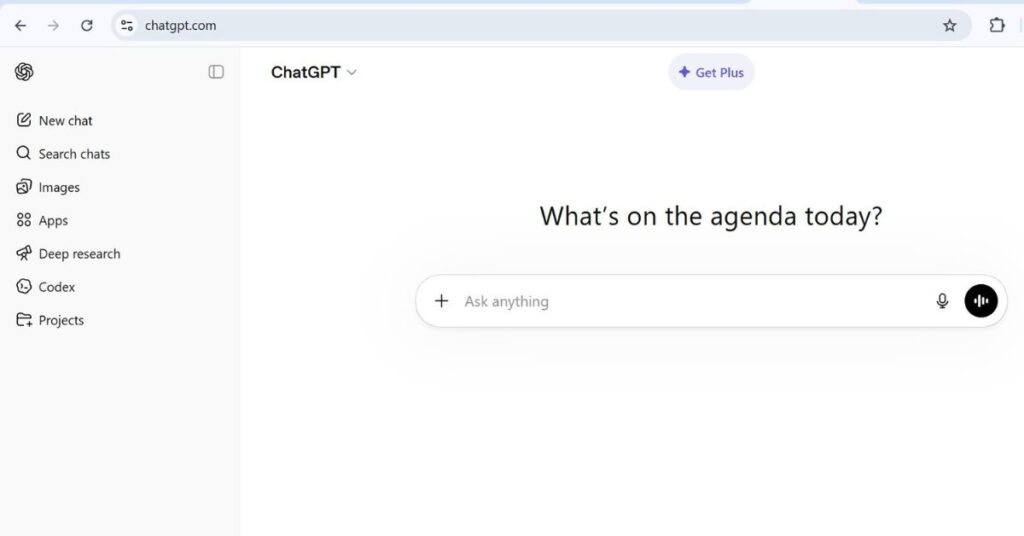
Here is what to do:
- Click on the text box at the bottom of the screen
- Type your question or message
- Press Enter on your keyboard or click the send button (the arrow icon)
- Wait 2–3 seconds — ChatGPT will reply
It is that simple. You are now having a conversation with one of the most powerful AI tools in the world — completely free.
Your First Message — Try This
Not sure what to type first? Try this:
“Explain what ChatGPT is in simple words”
ChatGPT will give you a clear, simple explanation. After that, you can keep the conversation going. Ask follow-up questions. it to explain something again. Ask it to give you examples.
It is just like chatting with a very smart, very helpful friend.
3 Tips to Get Better Answers
- Be specific. Instead of saying “help me write”, say “help me write a short email to my boss asking for a day off”. The more detail you give, the better the answer.
- Keep it simple. You do not need to use fancy words. Just write the way you normally talk. ChatGPT understands plain, everyday language perfectly.
- Ask follow-up questions. If the answer is not clear or not what you wanted, just say “can you explain that more simply?” or “can you give me an example?” ChatGPT will try again.
5 Useful Things You Can Do With ChatGPT for Free Right Now
Once you know how to use ChatGPT for free, you will be amazed at how many things it can help you with. Here are five great things to start with today:
1. Write Emails and Messages
This is one of the most popular uses of ChatGPT. You tell it what you want to say, and it writes it for you. It saves so much time.
For example, you can say: “Write a polite email to my landlord asking him to fix the heater in my apartment.”
ChatGPT will write a professional, polite email in seconds. You just copy it, make small changes if needed, and send it.
You can use this for work emails, messages to friends, complaint letters, thank you notes — anything.
2. Summarize Long Articles or Documents
Do you have a long article, report, or piece of text that you do not have time to read fully? Just paste it into ChatGPT and say:
“Summarize this in 5 bullet points.”
ChatGPT will read the entire text and give you a short, clear summary. This is great for students, professionals, or anyone who needs to process a lot of information quickly.
3. Learn Anything — Explained Simply
ChatGPT is like having a personal teacher available 24 hours a day, 7 days a week — for free.
You can ask it to explain any topic. For example:
- “Explain how the stock market works like I am 10 years old.”
- “What is machine learning in simple words?”
- “How does a car engine work?”
ChatGPT will explain it in simple, easy-to-understand language. If you still do not understand, just ask to explain again in an even simpler way.
4. Translate Text Into Any Language
ChatGPT can translate text into more than 50 languages. This is completely free and works very well.
Just paste your text and say: “Translate this into Spanish” or “Translate this into French”.
ChatGPT will give you an accurate translation in seconds. This is much faster than switching between translation apps.
5. Help With Work and Study Tasks
ChatGPT is an incredible tool for getting work done faster. Here are just a few examples of what it can do:
- Help you brainstorm ideas for a project
- Write a first draft of a report or essay
- Create a study plan for an exam
- Make a to-do list for your week
- Suggest ways to improve your writing
- Answer questions about any subject
The more you use it, the more you will discover. Learning how to use ChatGPT for free can genuinely save you hours every week.
Can You Use ChatGPT for Free Without Creating an Account?
Yes, there is a limited way to use ChatGPT for free without signing up.
If you go to chat.openai.com without logging in, ChatGPT will let you send a few messages as a guest. You do not need to create an account for this.
However, there are some important limits when you use it without an account:
- You can only send a small number of messages before it asks you to sign up
- Your chat history is not saved — every time you come back, it starts fresh
- You may not get access to all features
- Responses may be slower during busy times
For the best free experience, we always recommend creating a free account. It takes only 2 minutes, it is completely free, and it gives you much more access — including saved chat history, memory features, and more messages.
So while using ChatGPT without an account is possible, signing up is the smarter choice if you want to use ChatGPT for free on a regular basis.
How to Use ChatGPT for Free on Your Phone
Good news — you can also use ChatGPT for free on your smartphone. There are two ways to do this:
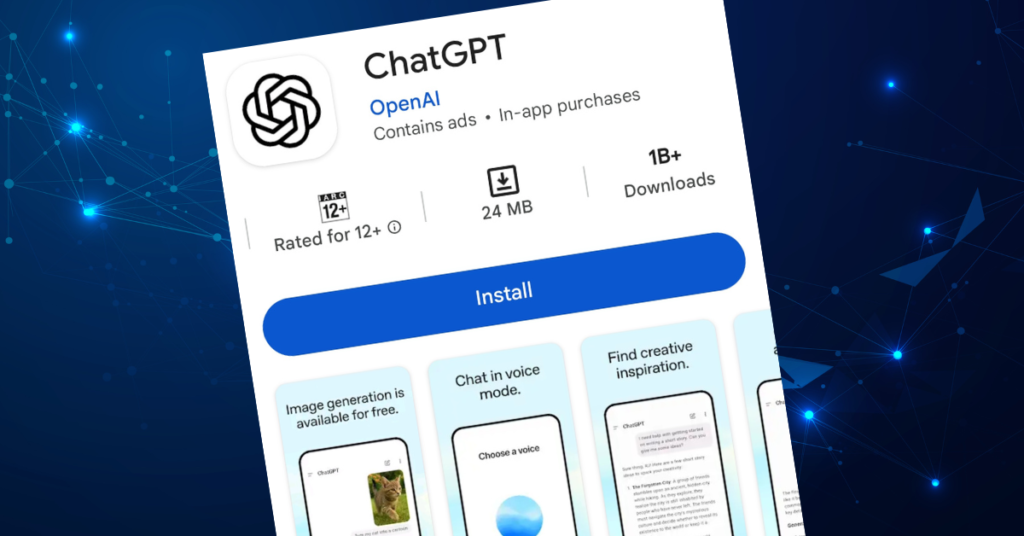
1: Use the website on your phone’s browser. Open Chrome or Safari on your phone, go to chat.openai.com, and log in. It works perfectly on mobile browsers.
2: Download the official ChatGPT app. ChatGPT has a free official app for both iPhone and Android. Just search for “ChatGPT” in the App Store or Google Play Store. Download the official app by OpenAI — it is free.
The app is very smooth and easy to use. You can even speak to ChatGPT using your voice in the app, instead of typing.
Common Mistakes People Make When Using ChatGPT for Free
Now that you know how to use ChatGPT for free, here are a few mistakes to avoid:
1: Being too vague. If you just type “help me”, ChatGPT does not know what you need. Always be specific about what you want.
2: Giving up after one answer. If the first answer is not perfect, do not stop. Tell ChatGPT what was wrong and ask it to try again. It gets better with each reply.
3: Trusting everything without checking. ChatGPT is very smart, but it can sometimes make mistakes — especially with facts, numbers, or very recent events. Always double-check important information.
4: Not using it enough. Many people try ChatGPT once and forget about it. The more you use it, the more helpful it becomes. Try using it every day for different tasks, and you will quickly get much better at it.
Final Thoughts
You now know everything you need to get started. Learning how to use ChatGPT for free is one of the best things you can do in 2026.
It is simple, fast, and free. And it can genuinely make your life easier.
Here is a quick recap of everything we covered:
- ChatGPT has a completely free plan — no credit card needed
- Sign up at chat.openai.com in just 2 minutes
- The free plan lets you write, learn, translate, summarize, and much more
- You can also use it on your phone via the free app
- Be specific with your questions to get better answers
- Always double-check important facts
There is no reason to wait. Go to chat.openai.com right now, sign up for free, and send your first message. It takes 2 minutes and costs nothing.
Once you start using ChatGPT for free, you will wonder how you ever managed without it.
Frequently Asked Questions About Using ChatGPT for Free
Q: Is ChatGPT free forever?
Yes. OpenAI has offered a free plan since ChatGPT launched, and it is still available in 2026. There is no expiry date on the free plan. You can use ChatGPT for free as long as you want.
Q: Is ChatGPT free in all countries?
ChatGPT is available in over 160 countries. In most parts of the world, you can sign up and use ChatGPT for free without any problems. A few countries have restrictions, but these are rare.
Q: What is the message limit on the free plan?
The free plan does not have a strict daily message limit. You can send many messages every day. However, during very busy times (usually evenings in the US), the free plan may slow down a little. If this happens, just wait a few minutes and try again.