
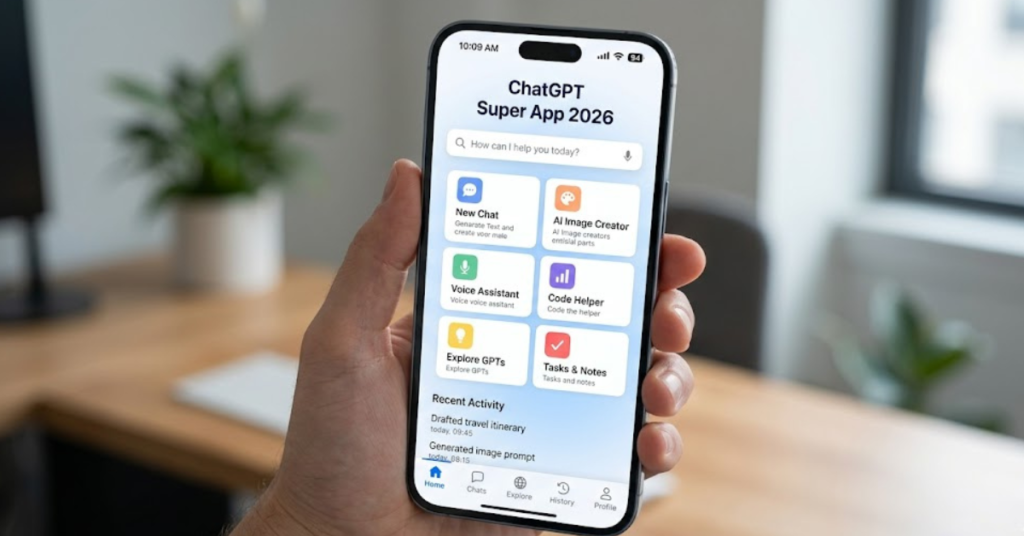
The ChatGPT super app is the biggest product change OpenAI has made since launching ChatGPT in 2022. If you have been using ChatGPT only as a simple chatbot, it is time to upgrade your thinking. The ChatGPT super app is no longer just a chat window — it is a complete AI workspace that combines three powerful tools into one single desktop application.
In this full guide, you will learn everything about the ChatGPT super app: what it is, what is inside it, how each part works, how to use it step by step, a detailed comparison with Gemini and Claude, and who should actually use it. By the end, you will know whether the ChatGPT super app is the right tool for you in 2026.
What Is the ChatGPT Super App?
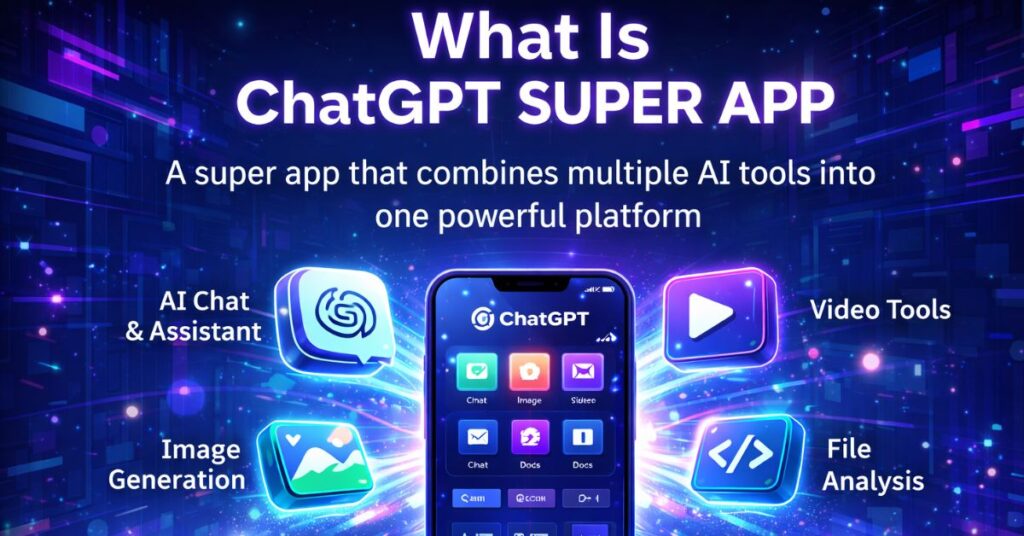
The ChatGPT super app is a unified desktop application from OpenAI. It was officially announced on April 6, 2026, and it combines three separate OpenAI products into one single platform:
- ChatGPT — the AI chatbot for writing, answering questions, and analysis
- Codex — an AI coding agent that writes, tests, and fixes code automatically
- Atlas — an AI-powered web browser that browses the internet on your behalf
Before the ChatGPT super app, you had to open three different apps just to do your work. Now everything lives in one place. You can write, code, and research the web — all from one window, without switching between tools.
OpenAI’s CEO of Applications, Fidji Simo, led the project together with OpenAI President Greg Brockman. In an internal memo, Simo explained that OpenAI was “spreading efforts across too many apps and stacks.” The ChatGPT super app is their solution — one focused product instead of five scattered ones.
OpenAI reported having 900 million weekly active users as of early 2026. The goal with the ChatGPT super app is to turn those casual users into “high-compute users” who rely on AI for serious, daily work.
Why Did OpenAI Build a Super App?
To understand the ChatGPT super app, you need to understand why OpenAI built it in the first place.
In 2025, OpenAI launched many separate products: Sora (video generator), Atlas browser, the Codex coding app, and more. Each product was separate. Users found it confusing. Developers and businesses did not know which tool to use for which task.
Meanwhile, Anthropic — OpenAI’s main competitor — quietly launched Claude Code and Cowork. These two focused products became hugely popular with businesses and developers. Anthropic’s strategy was simple: do fewer things but do them very well.
OpenAI leaders called Anthropic’s success a “wake-up call”. In response, they decided to stop adding new products and instead merge their best existing ones into the ChatGPT super app. The aim is to offer something that no single-purpose AI tool can match — a complete, end-to-end AI workspace for real work.
What Is Inside the ChatGPT Super App? (All 3 Tools Explained)
Let us look at each part of the ChatGPT super app in detail.
1: ChatGPT 5.5 — The Brain of the Super App
ChatGPT acts as the “brain” and control center of the ChatGPT super app. You type your requests here, and ChatGPT decides whether to answer directly, call Codex for coding, or ask Atlas to browse the web.
The ChatGPT super app currently runs on ChatGPT 5.5, also called “Spud” internally at OpenAI. This is a major upgrade from GPT-5.4:
- Better memory management — remembers details from past conversations, so you do not have to repeat yourself every session
- Improved task continuity — stays on track even during long, multi-step tasks
- Better instruction following — understands complex requests with multiple conditions more accurately
- GPT-6 preview features — includes early access to some abilities planned for the full GPT-6 release
Important: ChatGPT 5.5 is not GPT-6. The full GPT-6 (codenamed “Spud”) is still in training and expected by June 2026. ChatGPT 5.5 is a bridge version between the current models and GPT-6.
GPT-4o was officially retired on April 3, 2026. All free, Plus, and Pro users now use the GPT-5.x family by default.
2: Codex — The AI Coder Inside the Super App
Codex is OpenAI’s AI coding agent. It is one of the most exciting parts of the ChatGPT super app because it makes coding accessible to everyone — not just professional developers.
Inside the ChatGPT super app, Codex can:
- Write entire programs from a plain English description
- Fix bugs in existing code automatically
- Navigate your file system and edit files on your computer
- Run tests to check if code works correctly
- Support multiple languages: Python, JavaScript, TypeScript, Go, and more
- Work with popular coding tools: VSCode, Cursor, and Windsurf
- Use mid-task steering: redirect Codex to change direction without restarting from scratch
You do not need any coding experience to use Codex. Just describe what you want in plain English, and Codex builds it for you.
Current pricing note: Codex is free for a limited time, even on the free ChatGPT plan. This offer will not last forever, so now is the best time to try it.
One developer described the experience this way: “Codex is quite good, 100x better than anything I used a year ago.” It is not perfect, but for most everyday coding tasks, it gets the job done faster than writing code manually.
3: Atlas Browser — The AI Web Researcher
Atlas is OpenAI’s AI-powered web browser. It is probably the least well-known of the three tools, but it is extremely powerful.
Inside the ChatGPT super app, Atlas can:
- Browse websites on your behalf — no need to open a new tab
- Read full web pages, including content behind paywalls (if you are logged in)
- Summarize articles and reports in seconds
- Perform web actions: clicks, scrolls, form fills — automatically
- Remember your browsing history so you can ask things like “find the article I was reading last Tuesday”
- Provide a persistent AI sidebar on any web page — ask questions about the page you are currently reading
Unlike regular ChatGPT’s web search (which just gives you links), Atlas actually browses the web for you like a human would. It brings back full information, not just links.
Current availability: Atlas is only available on macOS. Windows support is coming in the future. The ChatGPT super app desktop app launches on Mac first, with Windows support to follow.
How to Use the ChatGPT Super App — Step by Step
Here is a simple, beginner-friendly guide to getting started with the ChatGPT super app:
Step 1: Choose Your Plan
Before downloading, pick the right plan:
| Plan | Monthly Price | What You Get |
|---|---|---|
| Free | $0 | Limited ChatGPT access, limited Codex (temporary) |
| ChatGPT Go | $8 | GPT-5.2 Instant, image generation, file uploads |
| ChatGPT Plus | $20 | Full ChatGPT 5.5, full Codex, Atlas browser access |
| ChatGPT Pro | $200 | Unlimited access to all features, priority speed |
For most users, ChatGPT Plus at $20/month is the best option. It gives full access to all three tools inside the ChatGPT super app.
Step 2: Download the Desktop App
- Visit chat.openai.com on your Mac
- Click “Download Desktop App”
- Install the application like any other Mac app
- Open it and log in with your OpenAI account
The ChatGPT mobile app (iPhone/Android) stays separate. The ChatGPT super app is desktop-only.
Step 3: Set Up Your Workspace
On first launch:
- Connect your Google Drive, Dropbox, Notion, or Box if needed
- Allow file access so Codex can read and edit your project files
- Turn on Memory so ChatGPT remembers your preferences across sessions
- Set up your default working folder for coding projects
Step 4: Use All Three Tools Together
Here is a real-world example of how to use the ChatGPT super app for a full task:
Your prompt: “Research the top 5 AI tools trending this week, write a blog post comparing them, and create a Python script that tracks their Google Trends data daily.”
Here is what the ChatGPT super app does automatically:
- Atlas browses Google Trends, tech news sites, and Twitter/X to find trending AI tools
- ChatGPT writes a full blog post based on what Atlas found
- Codex writes a Python script to track the trends automatically
- ChatGPT presents everything in one clean response
That entire workflow — which would normally take 2-3 hours — happens in minutes inside the ChatGPT super app.
Comparison: ChatGPT Super App vs Gemini vs Claude (2026)
This is the most important section if you are trying to decide which AI tool to use. Let us compare all three in detail.
Table 1: Core Features Comparison
| Feature | ChatGPT Super App | Gemini (Google) | Claude (Anthropic) |
|---|---|---|---|
| Unified desktop app | Yes | No | No |
| Built-in AI browser | Atlas | No | No |
| AI coding agent | Codex (full) | Limited | Claude Code |
| Web search | Yes | Yes | Yes |
| Memory / context retention | Strong (5.5) | Yes | Yes |
| Image generation | Yes (DALL-E) | (Nano Banana) Yes | No |
| Video generation | Sora (separate) | (built-in) Yes | No |
| Voice mode | Yes | Yes | No |
| File upload & analysis | Yes | Yes | Yes |
| Google Workspace integration | Limited | Deep (native) | No |
| Custom GPTs / extensions | GPT Store | Limited | No |
| Agent mode (autonomous tasks) | Strong | Ultra plan only | Chrome extension |
| macOS desktop app | Yes | No native app | Yes |
| Windows desktop app | Coming soon | No | Yes |
| Mobile app | Yes (separate) | Yes | Yes |
Table 2: Pricing Comparison
| Plan Type | ChatGPT Super App | Gemini | Claude |
|---|---|---|---|
| Free tier | Yes (limited) | Yes | Yes |
| Basic paid plan | $8/mo (Go) | — | — |
| Standard paid plan | $20/mo (Plus) | $19.99/mo (AI Pro) | $20/mo (Pro) |
| Power user plan | $200/mo (Pro) | $249.99/mo (AI Ultra) | $200/mo (Max 20x) |
| Team plan | $25/user/mo | $20/user/mo | $25/user/mo |
| Codex / coding agent | Free (limited time) | Not included | $20/mo (Claude Code) |
| Storage included | No | 2TB (AI Pro) | No |
Winner on pricing: Gemini AI Pro at $19.99/month includes 2TB of Google storage, making it the best value if you already pay for Google storage. For pure AI capability, ChatGPT Plus and Claude Pro are roughly equal at $20/month.
Table 3: AI Performance Benchmarks (April 2026)
| Benchmark | ChatGPT (GPT-5.4) | Claude (Opus 4.6) | Gemini 3.1 Pro |
|---|---|---|---|
| Coding (SWE-bench Verified) | ~74.9% | 80.8% | 80.6% |
| Reasoning (GPQA) | 92.8% | 91.3% | 94.3% (leader) |
| Writing quality | Good | Best (natural prose) | Good |
| Long document analysis | Good (1M context) | Best (1M context) | Best (2M context, leader) |
| Multimodal (image+video) | Strong | Good | Leader |
| Real-time web data | Yes | Yes | Yes |
| Instruction following | Good | Best | Good |
Winner on benchmarks:
- Best coding: Claude Opus 4.6 (80.8% SWE-bench)
- Best reasoning: Gemini 3.1 Pro (94.3% GPQA)
- writing: Claude (most natural, human-sounding text)
- Best context window: Gemini 3.1 Pro (2 million tokens)
- Best all-round desktop workspace: ChatGPT Super App (only unified tool)
Table 4: Best Use Cases by Tool
| Use Case | Best Tool | Why |
|---|---|---|
| All-in-one AI workspace | ChatGPT Super App | Only tool that combines chat + coding + browser |
| Web research & browsing | ChatGPT Super App (Atlas) | Atlas browses the full page, not just links |
| Writing long-form content | Claude | Most natural, accurate writing output |
| Coding & debugging | Claude Code or Codex | Both excellent; Codex now free temporarily |
| Google Docs / Gmail tasks | Gemini | Native Google Workspace integration |
| Image generation | ChatGPT or Gemini | Both excellent; Gemini slightly ahead |
| Video generation | Gemini | Built-in video generation; ChatGPT’s Sora is separate |
| Student homework helper | ChatGPT Super App | Best all-round for research + writing + studying |
| Developer / programmer | Claude Code | Slightly better developer experience than Codex |
| Budget-conscious users | Gemini AI Pro | $19.99 includes 2TB Google storage |
| Real-time news / social | Grok (xAI) | Live X/Twitter data access |
Key Takeaway from the Comparison
The ChatGPT super app is not the best in every single category. Claude writes better. Gemini has a bigger context window. But the ChatGPT super app wins in one very important way: it is the only AI tool that gives you a chatbot, a coding agent, and an AI browser — all inside one app.
If you currently switch between ChatGPT, a browser, and a code editor, the ChatGPT super app replaces all three. That alone is worth a lot.
5 Real Ways to Use the ChatGPT Super App in Daily Life
Here are five practical ways people are using the ChatGPT super app every day:
1. Content creators and bloggers: Use Atlas to research your topic, ChatGPT to write the article, and Codex to build a simple automation that publishes to WordPress — all without leaving the app.
2. Freelancers and consultants: Let the ChatGPT super app research a client’s industry, write a proposal, and build a tracking spreadsheet automatically.
3. Students: Research any topic with Atlas, understand complex concepts with ChatGPT, and use Codex for programming assignments — three tools in one.
4. Small business owners: Use the ChatGPT super app to track competitor prices online, write marketing emails, and automate routine reports.
5. Developers and programmers: Use Codex inside the ChatGPT super app to write, test, and fix code while using Atlas to look up documentation — without opening a browser.
Pros and Cons of the ChatGPT Super App
Pros
- Only AI tool that combines chat, coding, and browser in one desktop app
- ChatGPT 5.5 has improved memory and task continuity
- Codex is currently free, making it a great deal right now
- Atlas browser can read full pages including paywalled content
- Works with Google Drive, Notion, Dropbox, and more
- 900 million users means strong community, plugins, and support
Cons
- Currently macOS only (Windows coming later)
- Pro plan at $200/month is expensive for casual users
- Claude still beats Codex for pure coding accuracy
- Gemini still better for Google Workspace users
- Atlas browser is new and still improving
- Not ideal if you need real-time social media data (Grok is better for that)
What About GPT-6? Is ChatGPT 5.5 the Same Thing?
Many people are confused about the difference between ChatGPT 5.5 and GPT-6. Here is the clear answer:
- ChatGPT 5.5 is NOT GPT-6
- (codenamed “Spud”) GPT-6 is still in training as of April 2026
- GPT-6 is expected to launch by June 30, 2026 — prediction markets assign over 90% probability to this
- GPT-6 will bring: infinite context window, even stronger memory, deeper agent modes
- ChatGPT 5.5 is a “bridge” version — better than 5.4, but not the full GPT-6 leap
The ChatGPT super app currently runs on ChatGPT 5.5. When GPT-6 launches, it will likely be integrated into the same super app automatically — no need to download anything new.
Is the ChatGPT Super App Safe to Use?
Safety is a fair concern when one app has access to your files, browser, and chat. Here is what you need to know:
- OpenAI does not train on business account data — your conversations stay private
- You can turn off data training under Settings → Data Controls at any time
- Codex only accesses files you specifically allow it to access
- Atlas only visits websites you ask it to visit
- Never share passwords, bank details, or private documents in any AI app
The ChatGPT super app is as safe as regular ChatGPT — with a few extra permissions needed for Codex and Atlas. Always review what the app is doing, especially when using agent mode.
Final Verdict: Should You Use the ChatGPT Super App?
The ChatGPT super app is one of the most important AI releases of 2026. Here is the honest verdict:
Use the ChatGPT super app if:
- You are already a ChatGPT Plus subscriber ($20/month)
- You use a Mac (Windows not yet available)
- We need an app that can handle writing, coding, and web research.
- You want to try Codex for free while the offer lasts
- You do heavy work that requires switching between multiple tools
Use Claude instead if:
- A developer who needs code as accurate as possible
- You write long, complex documents that need high precision
- You prefer the Claude Code experience over Codex
Use Gemini instead if:
- We live our lives in Google Docs, Gmail, and Google Drive.
- You need video generation built into your AI tool
- You want the cheapest plan with the most storage
The bottom line: the ChatGPT super app is the best all-in-one AI workspace available right now in 2026. No competitor offers a chatbot, a coding agent, and an AI browser under one roof. If you do serious work with AI tools, it is worth trying.
Frequently Asked Questions (FAQs)
Q: What is the ChatGPT super app?
The ChatGPT super app is a unified desktop app from OpenAI that combines ChatGPT, Codex (AI coding), and Atlas (AI browser) in one place. It launched on April 6, 2026.
Q: Is the ChatGPT super app free?
There is a limited free tier. Full access requires ChatGPT Plus ($20/month) or Pro ($200/month). Codex is temporarily free on all plans.
Q: What is Codex inside the ChatGPT super app?
Codex is an AI coding agent that writes, fixes, and tests code based on your plain English instructions. No coding experience required.
Q: What is the Atlas browser?
Atlas is OpenAI’s AI-powered browser. It browses websites, reads full pages, and brings back information for you — automatically, without you opening a new tab.
Q: Is the ChatGPT super app available on Windows?
Not yet. The super app launches on macOS first. Windows support is coming in the future.
Q: How is the ChatGPT super app different from regular ChatGPT?
Regular ChatGPT only handles text conversations. The ChatGPT super app adds an AI coding agent (Codex) and an AI web browser (Atlas), making it a complete AI workspace.
Q: Is the ChatGPT super app better than Claude?
It depends on your needs. The ChatGPT super app wins on all-in-one features. Claude wins on coding accuracy and writing quality. Neither is the best at everything.